
Audio - Music - MP3 Player1 - Get APK
You'll be able to download in few seconds.
Publisher Description
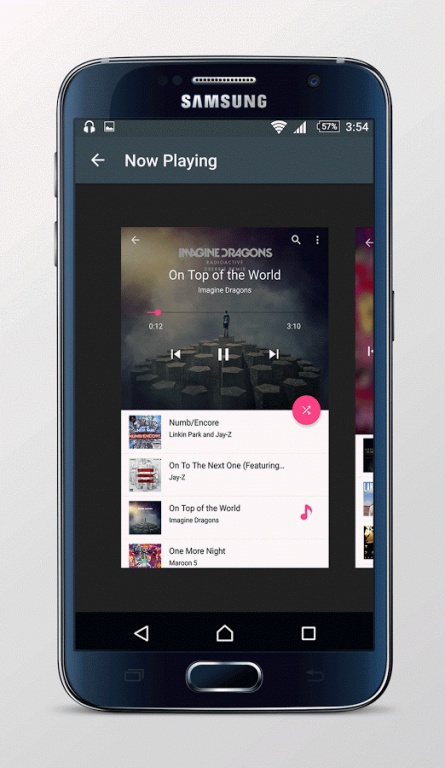
Audio Player - Music Player - MP3 Player is the professional music player with a high quality 32/64-bit audio rendering engine which provides the best possible sound quality on an Android device.
FEATURES:
* Playback modes: shuffle, looped, single track, queue.
* Playlist management.
* Media library grouping by: album, artist, composer, genre, year, rating, folder.
* Artist grouping by 'Album Artist' category.
* Folder mode.
* Unicode metadata support.
* Interface languages: Русский, 中文 (繁体), 中文 (简体), 한국어, 日本語, Việt, ไทย, Deutsch, Italiano, Français, English, Español, ελληνικά, Português, Magyar, Polski, العربية, Türk.
* OS independent decoding and audio processing.
* Audio formats: MP1, MP2, MP3, OGG (Vorbis), FLAC, WMA, WMA Lossless (16-bit), AC3, AAC, M4A, M4B, M4R, MP4, 3GP, 3G2, MOV, ALAC, APE (Monkey's Audio), WV (WavPack), MPC (MusePack), WAV, AU, AIFF, MPG/MPEG (audio), AVI (audio), iTunes/Windows Media (non DRM), OPUS.
* Playlists: CUE, M3U, PLS, ASX, RAM, XSPF, WPL.
* Use Network device (NAS, PC, ...) with SMB/CIFS as music source.
* Manage files of a music source via local FTP server.
* Output to UPnP/DLNA® compatible devices (up to 24-bit/192 kHz).
* Direct output to USB DAC without format limitation.
* 32-bit output on Android 5.0+.
* Parametric equalizer (fully configurable, 4-20 bands).
* Graphic equalizer mode with 21 common presets.
* Surround sound (Ambiophonic R.A.C.E.).
* Crossfeed (for better stereo in headphones).
* Rumble Filter (speaker overloading protection).
* Dithering (minimize quantization).
* Pitch and Tempo (playback speed and pitch correction).
* Normalization (best Preamp gain calculation after DSP effects).
* Replay Gain.
* Hardware and Preamp volume controls.
* Phase inversion.
* High quality real-time resampling (when required): quality, audiophile.
* Balance.
About Audio - Music - MP3 Player
The company that develops Audio - Music - MP3 Player is Dinixe Co. The latest version released by its developer is 1.
To install Audio - Music - MP3 Player on your Android device, just click the green Continue To App button above to start the installation process. The app is listed on our website since 2016-07-10 and was downloaded 0 times. We have already checked if the download link is safe, however for your own protection we recommend that you scan the downloaded app with your antivirus. Your antivirus may detect the Audio - Music - MP3 Player as malware as malware if the download link to com.dev.AudioPlayerandMusicPlayer is broken.
How to install Audio - Music - MP3 Player on your Android device:
- Click on the Continue To App button on our website. This will redirect you to Google Play.
- Once the Audio - Music - MP3 Player is shown in the Google Play listing of your Android device, you can start its download and installation. Tap on the Install button located below the search bar and to the right of the app icon.
- A pop-up window with the permissions required by Audio - Music - MP3 Player will be shown. Click on Accept to continue the process.
- Audio - Music - MP3 Player will be downloaded onto your device, displaying a progress. Once the download completes, the installation will start and you'll get a notification after the installation is finished.
Program Details
System requirements
Download information
Pricing
Version History
version 1
posted on 2016-07-10
Disclaimer
External Download
We do not host Audio - Music - MP3 Player on our servers. We did not scan it for viruses, adware, spyware or other type of malware. This app is hosted by Galad and passed their terms and conditions to be listed there. We recommend caution when installing it.
The APK Download link for Audio - Music - MP3 Player is provided to you by apps112.com without any warranties, representations or guarantees of any kind, so access it at your own risk.
If you have questions regarding this particular app contact the publisher directly. For questions about the functionalities of apps112.com contact us.
